Seneca Careers · employer walkthrough
How a candidate shares work, and what you see.
Screenshots from the Seneca Careers demo. Maya Chen applies for a Business Analyst internship at Northgate Analytics and shares four records. Start with what the employer reads, then see how she chose it.
What the employer reads
Dana Reyes (fictional) opens Maya's application. The work Maya shared is there with it: nothing to fill in first.
-
01
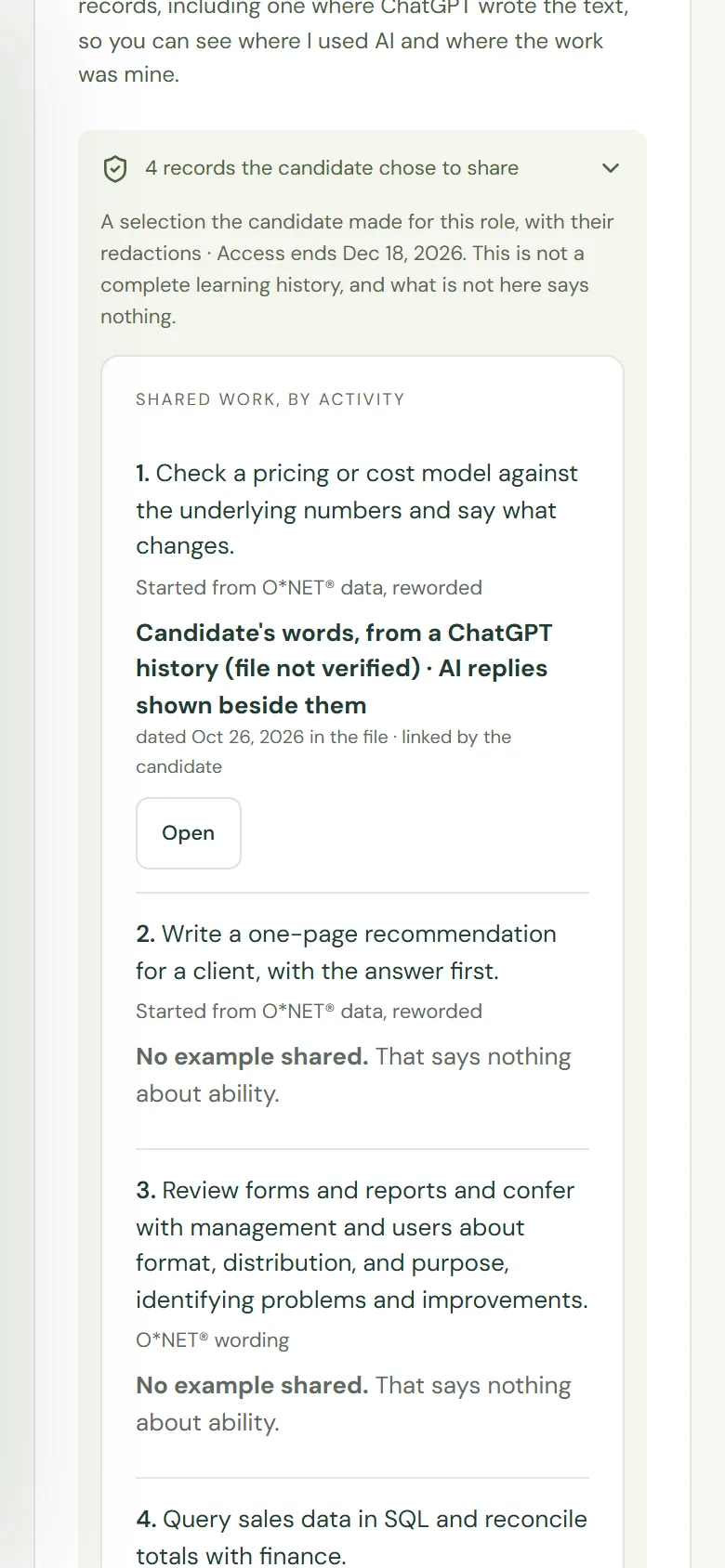
The shared work, by activity
Four activities Northgate confirmed for the role, and under each one the record Maya chose for it. Every row says where the record came from. Nothing is scored or ranked.
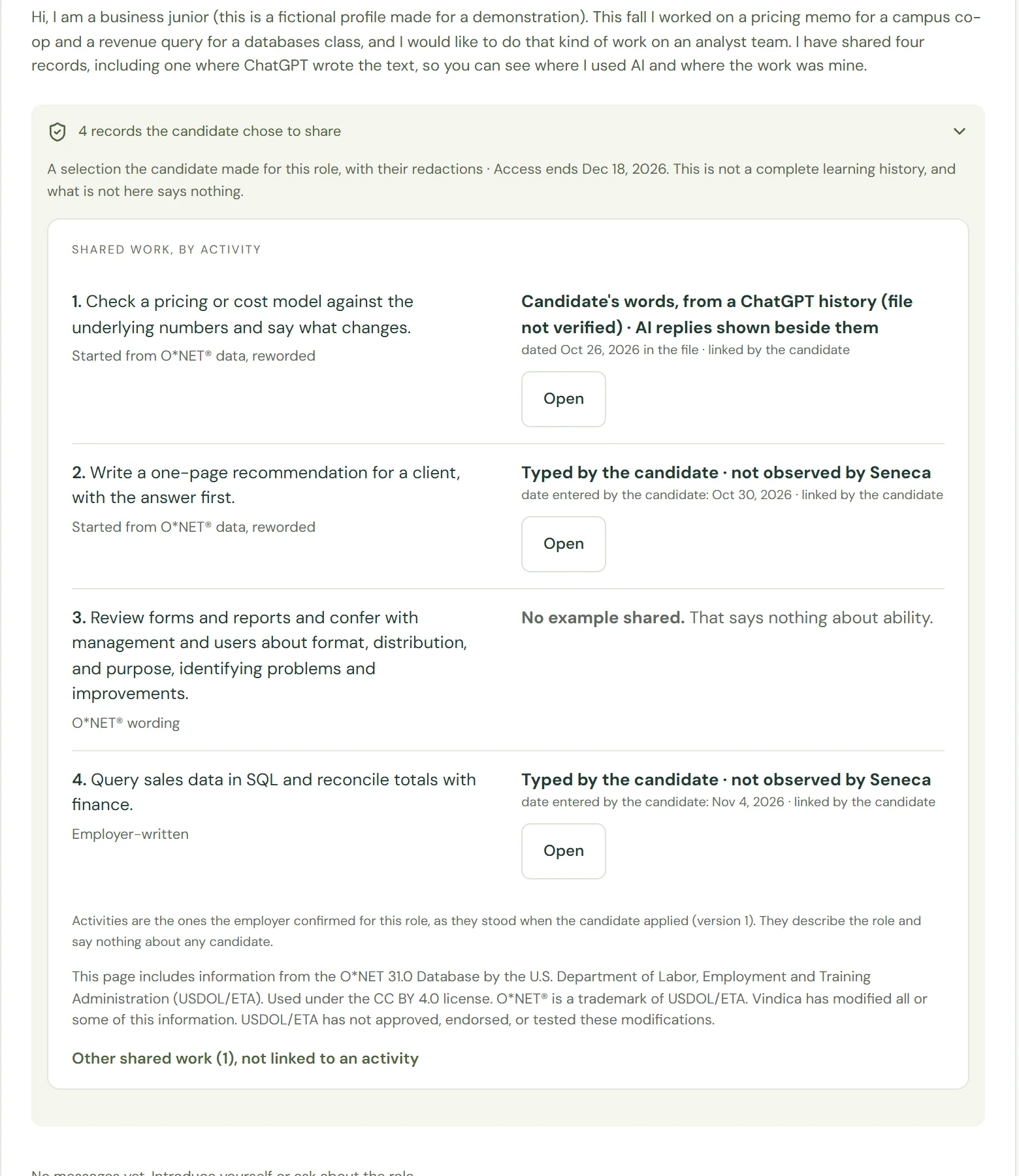
-
02
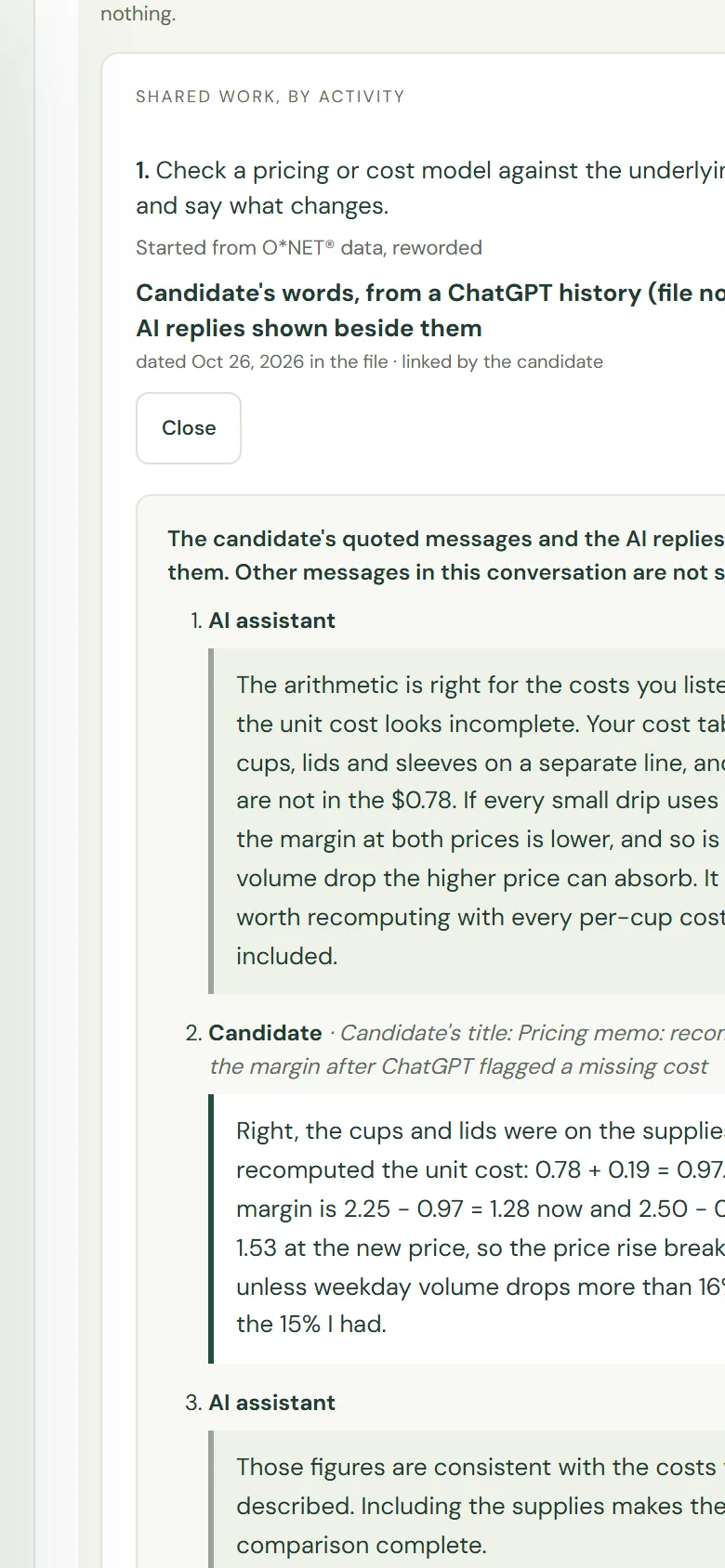
A record from an AI conversation
The AI's reply that came before her message, her own words, and the AI's reply after, each labelled and shown open. A line above says other messages in the conversation are not shown.
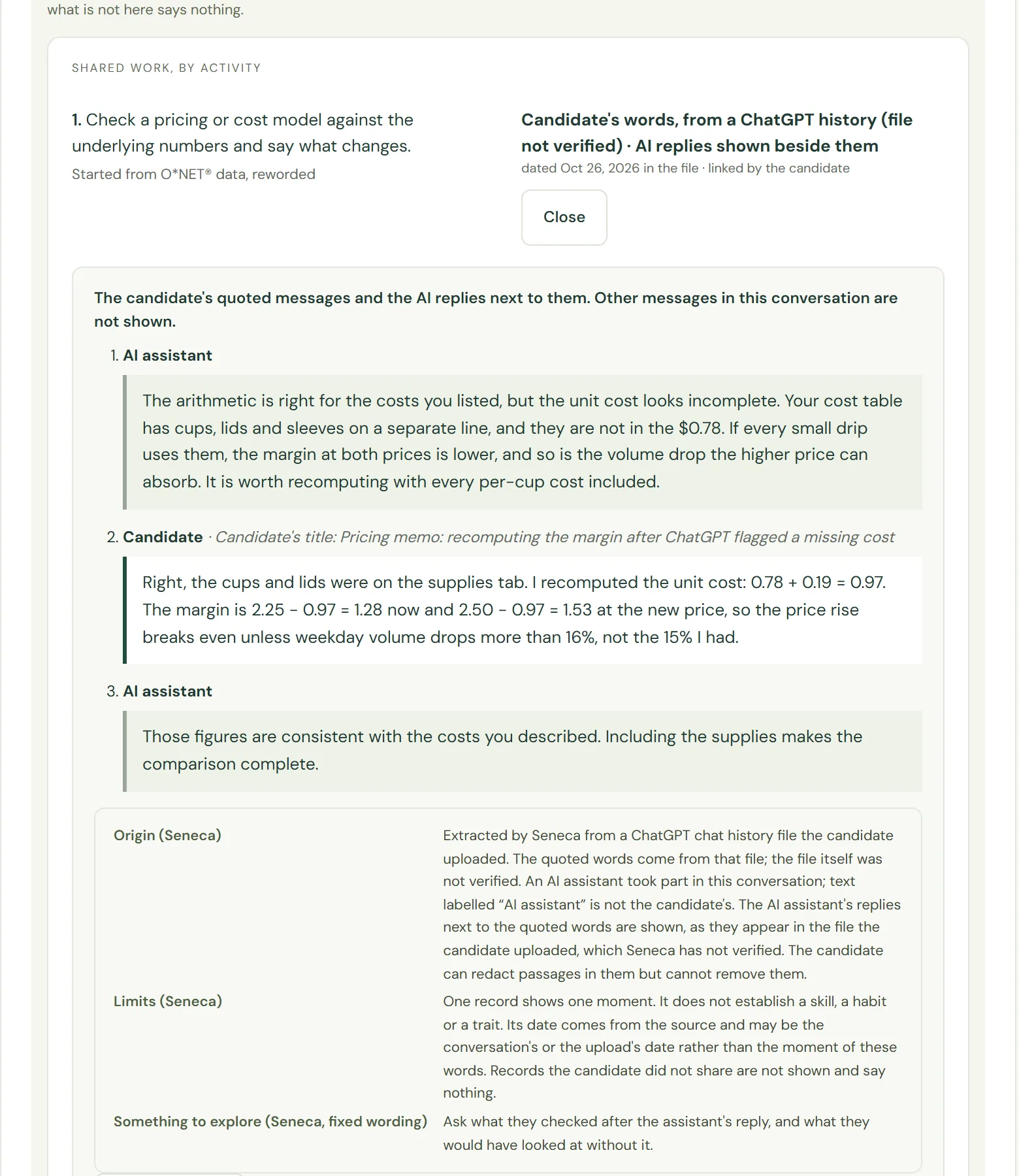
-
03
Where it came from, and what it cannot show
Under the words: the file it was taken from and that the file was not verified, what one record cannot establish, and one fixed question to explore in an interview.
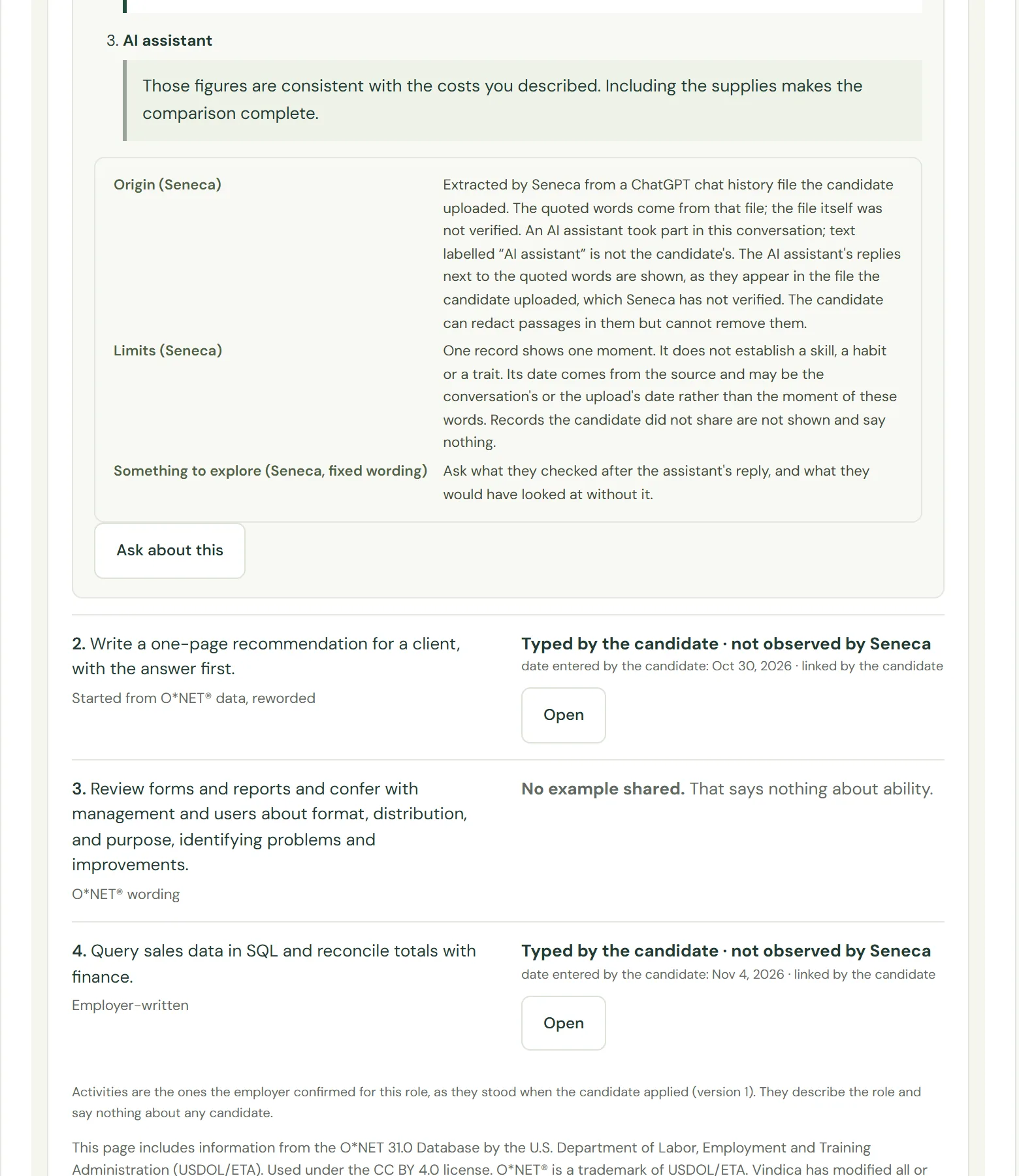
-
04
An activity with nothing shared
Maya linked no record to the third activity. The row says so, and says that it tells you nothing about ability.
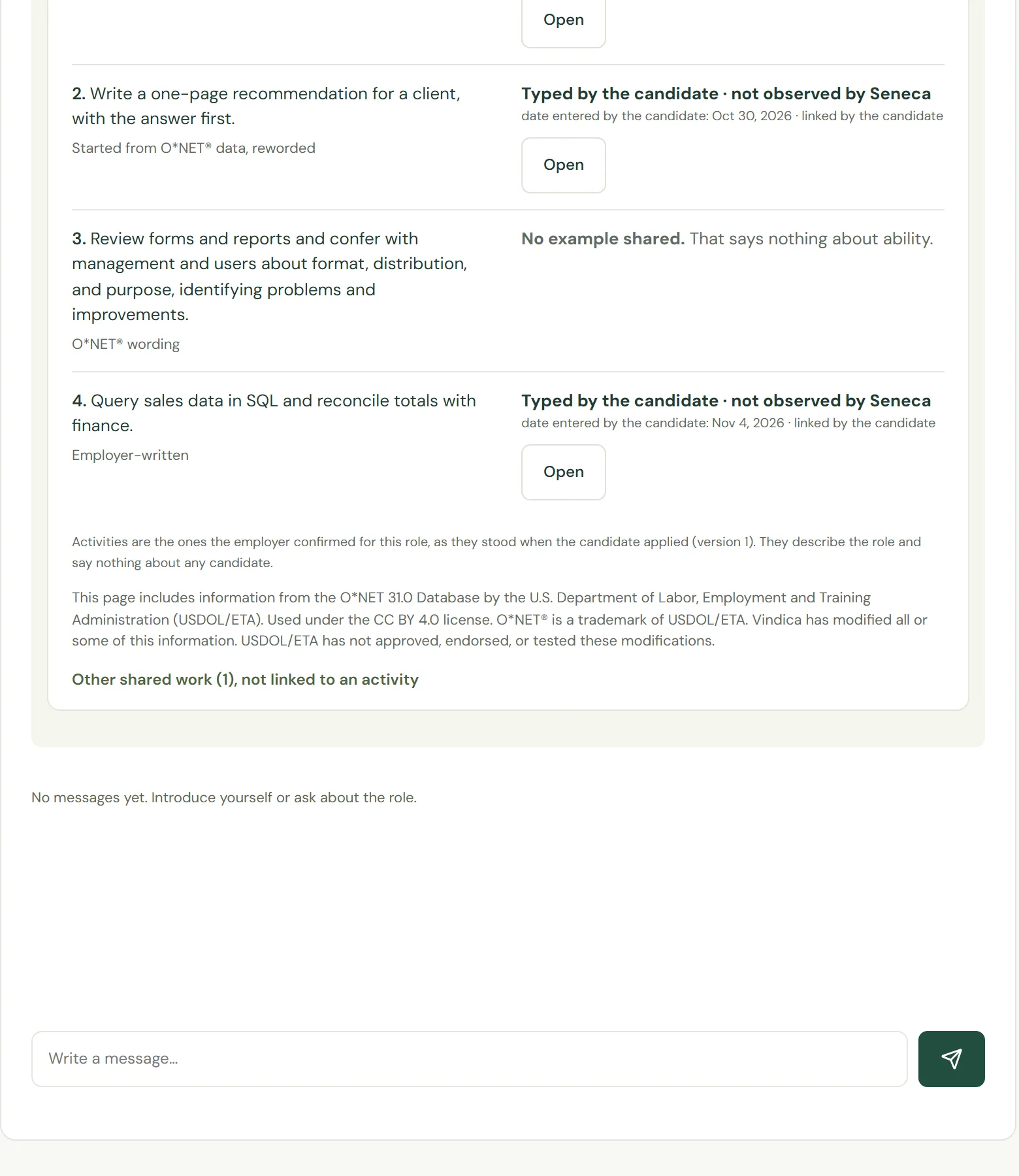
-
05
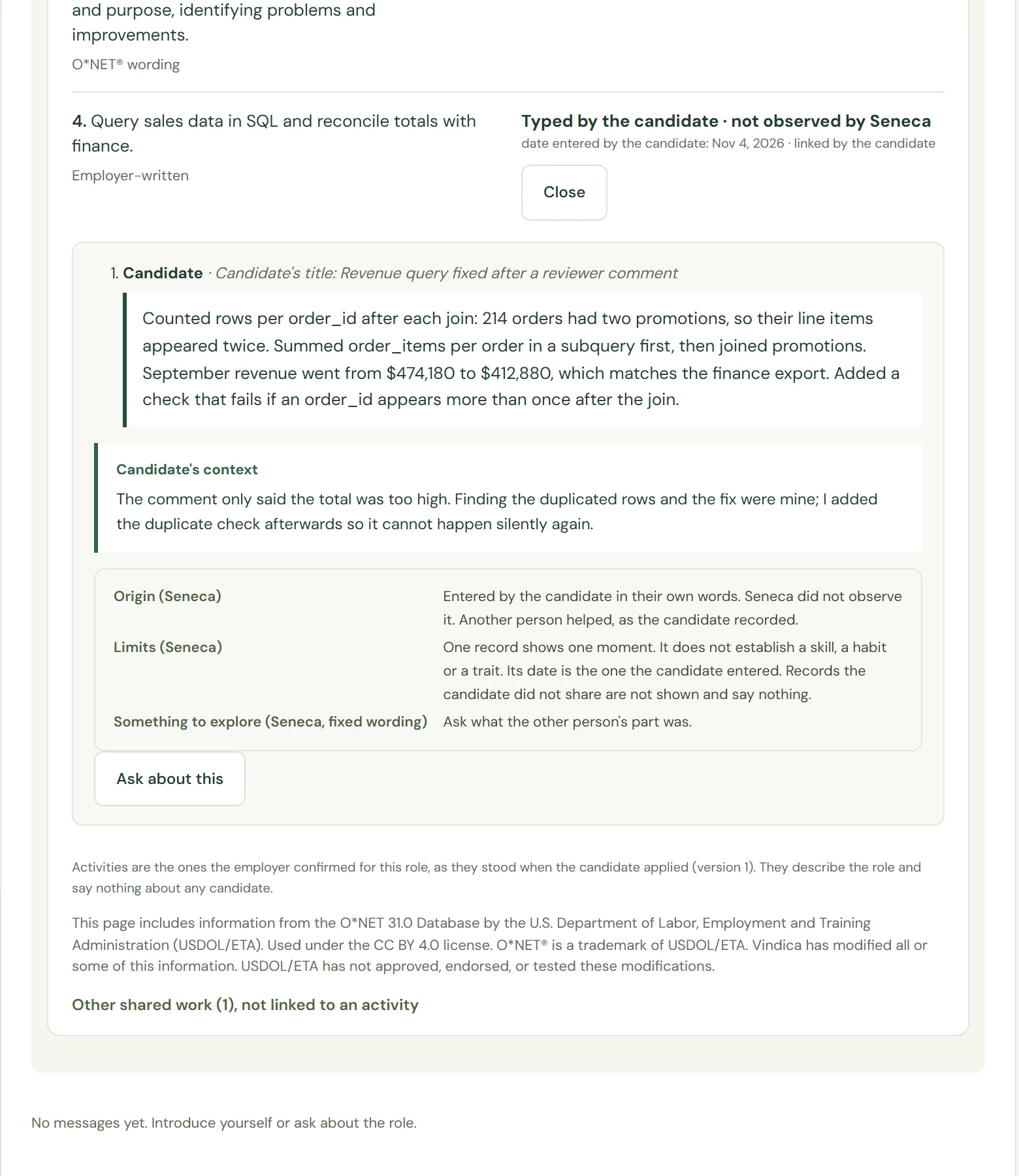
A record she typed herself
Labelled as typed by the candidate and not observed by Seneca, with her own context below it and a prompt to ask for the file or a walk-through.
-
06
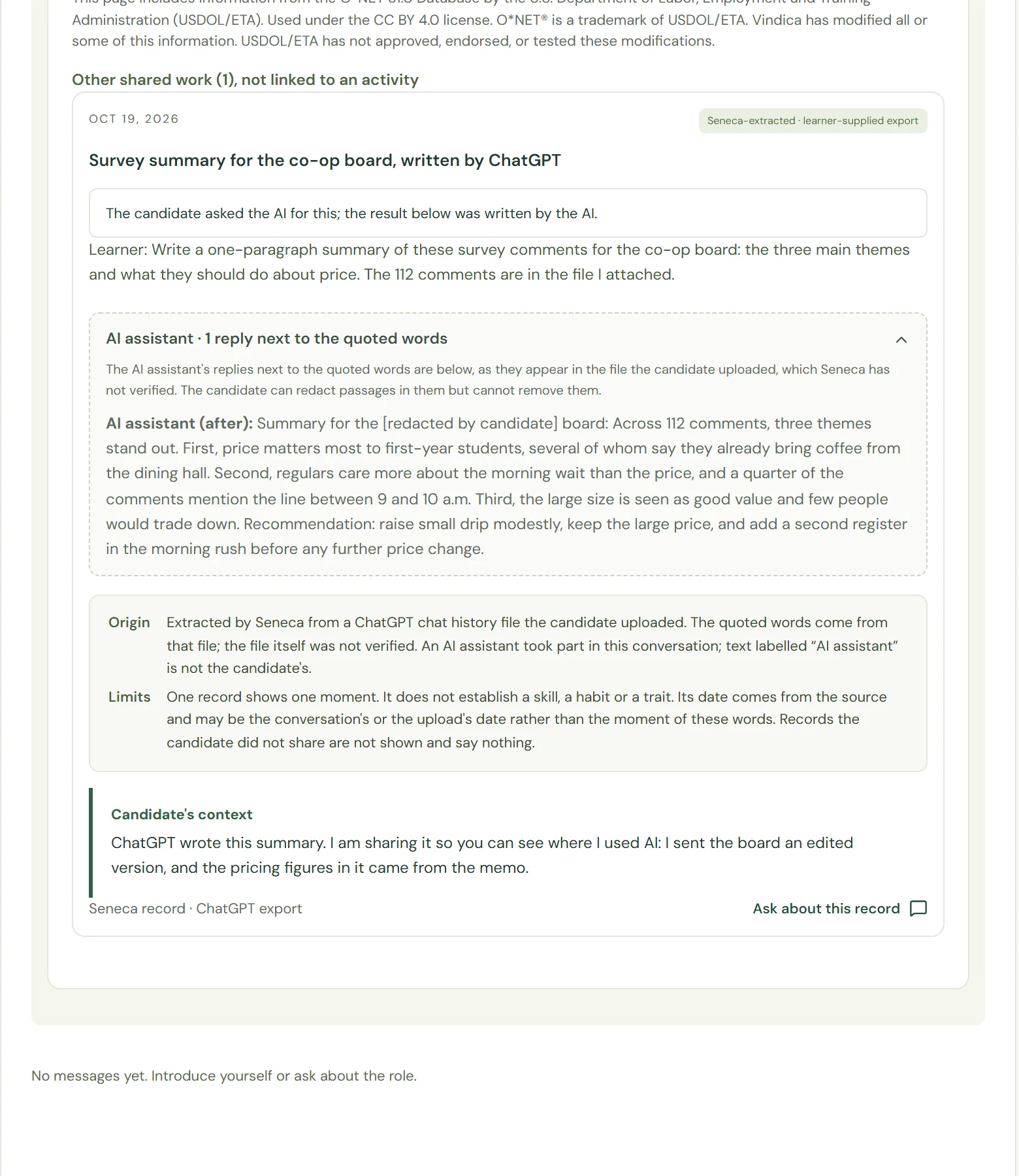
When the AI did the work
One shared record sits under no activity. She only asked, and the AI wrote the result. The record says so plainly, and the AI's text is shown as the AI's.
Maya's own record
Before any employer is involved, the record is private to the candidate.
-
07
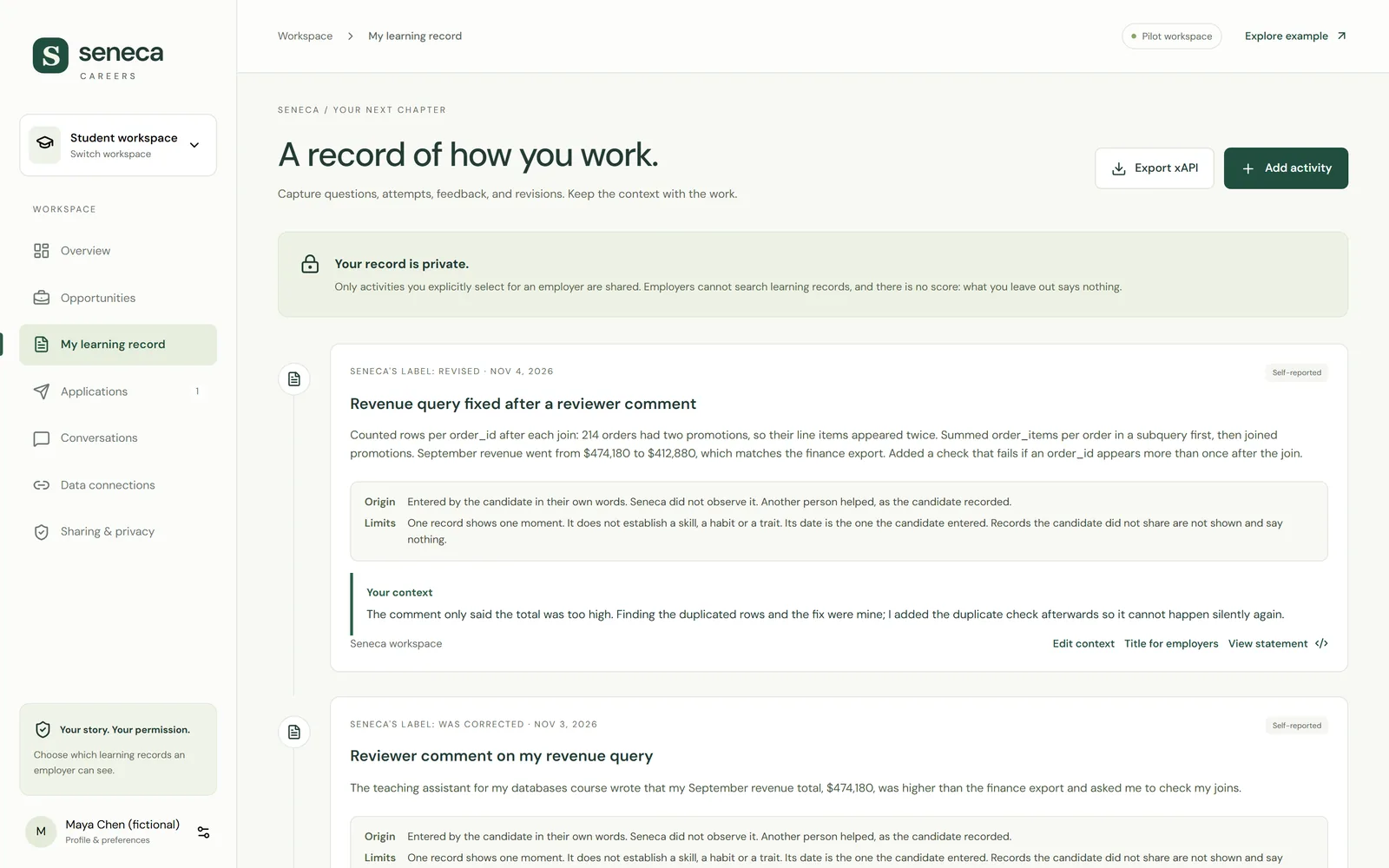
Her learning records
Maya sees her own records. Some she typed in herself; others Seneca took from a ChatGPT history she uploaded. No employer can see any of this.
-
08
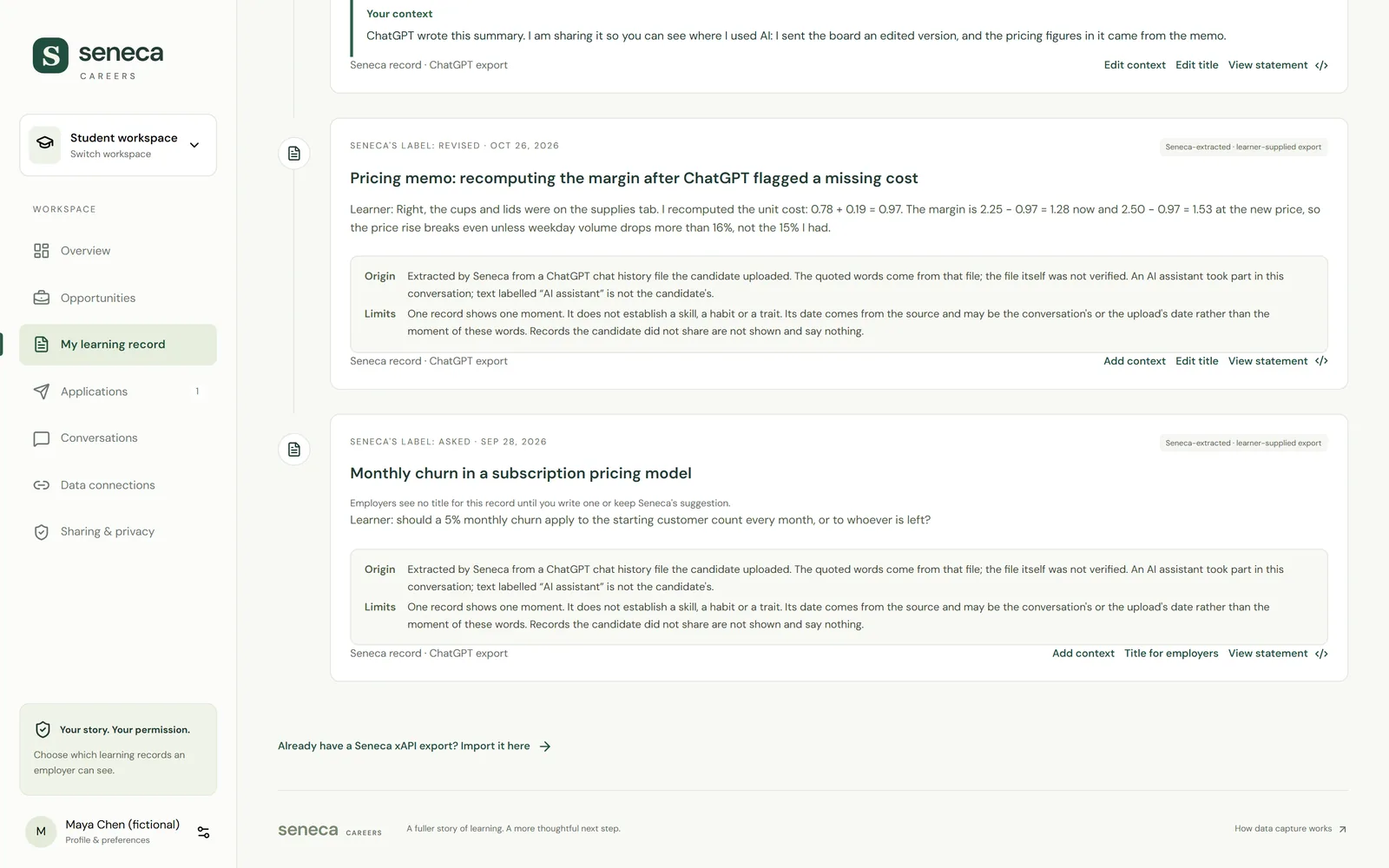
One record from her ChatGPT history
Only her own words are quoted. The label says where they came from and what one record cannot show.
Choosing what to share
She applies for the internship, then decides what this one employer may see.
-
09
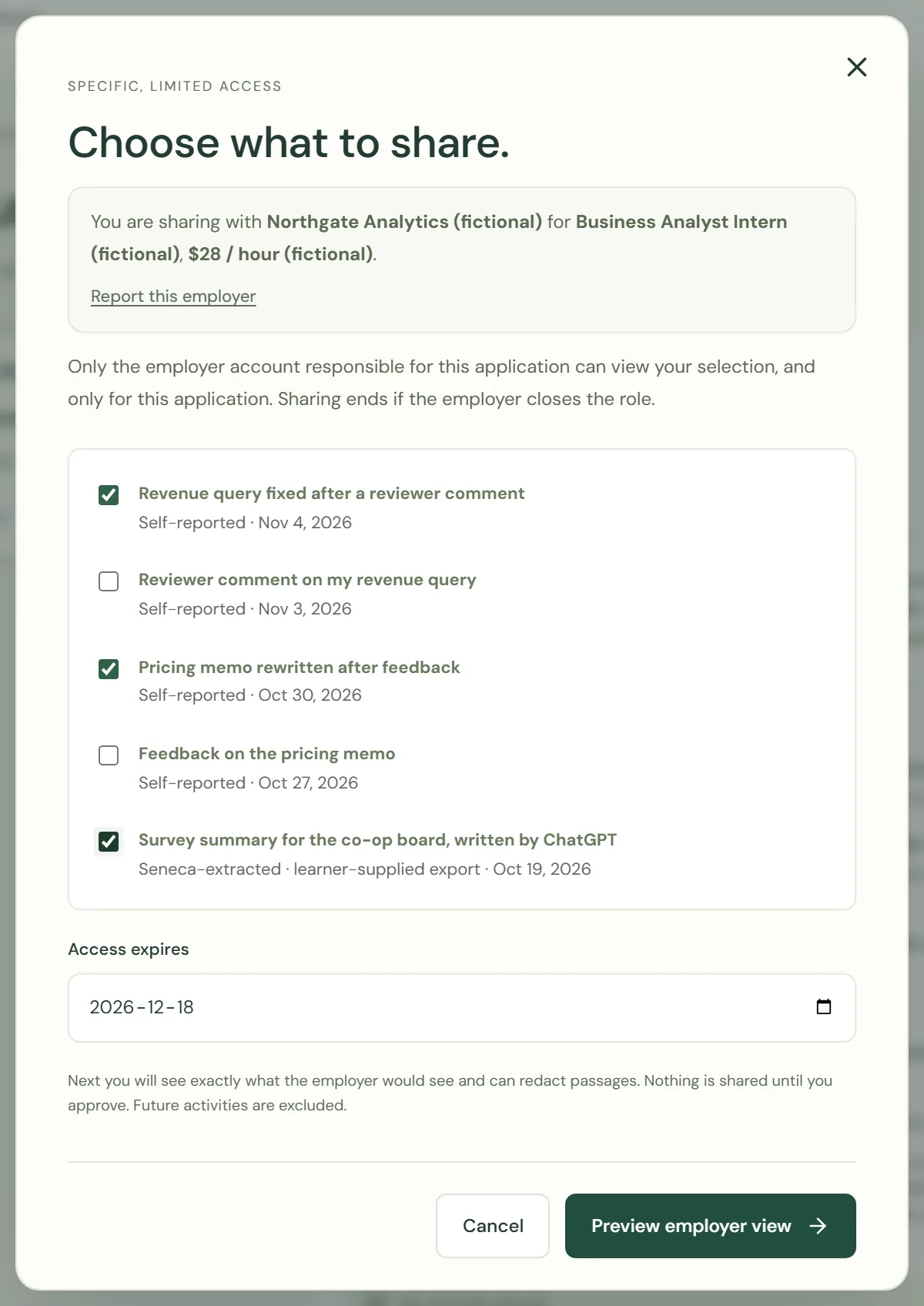
Choose what to share
She picks which records this one employer may see, and sets when access ends.
-
10
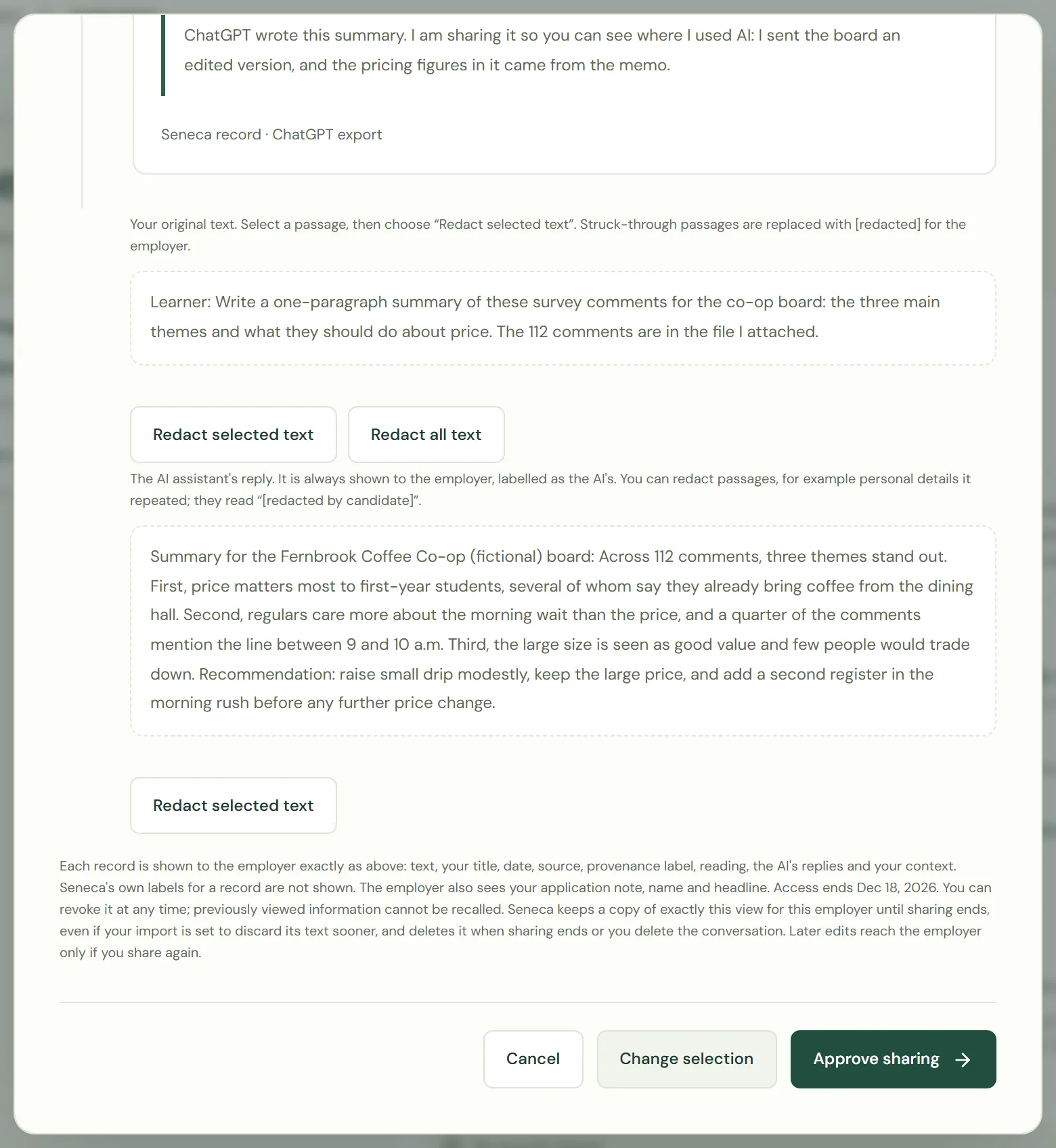
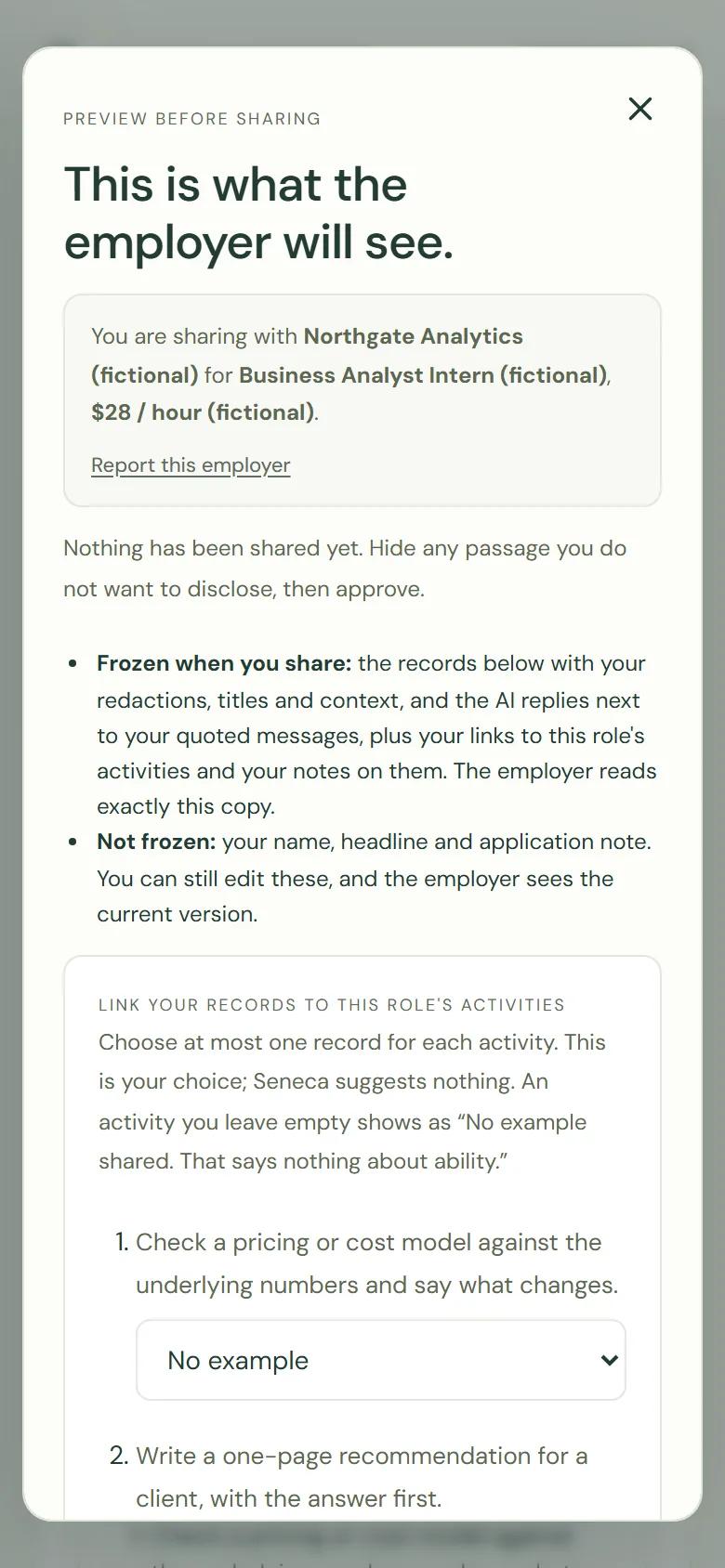
Preview the employer's view
Before anything is shared she sees exactly what the employer will see, and which parts are frozen when she shares.
-
11
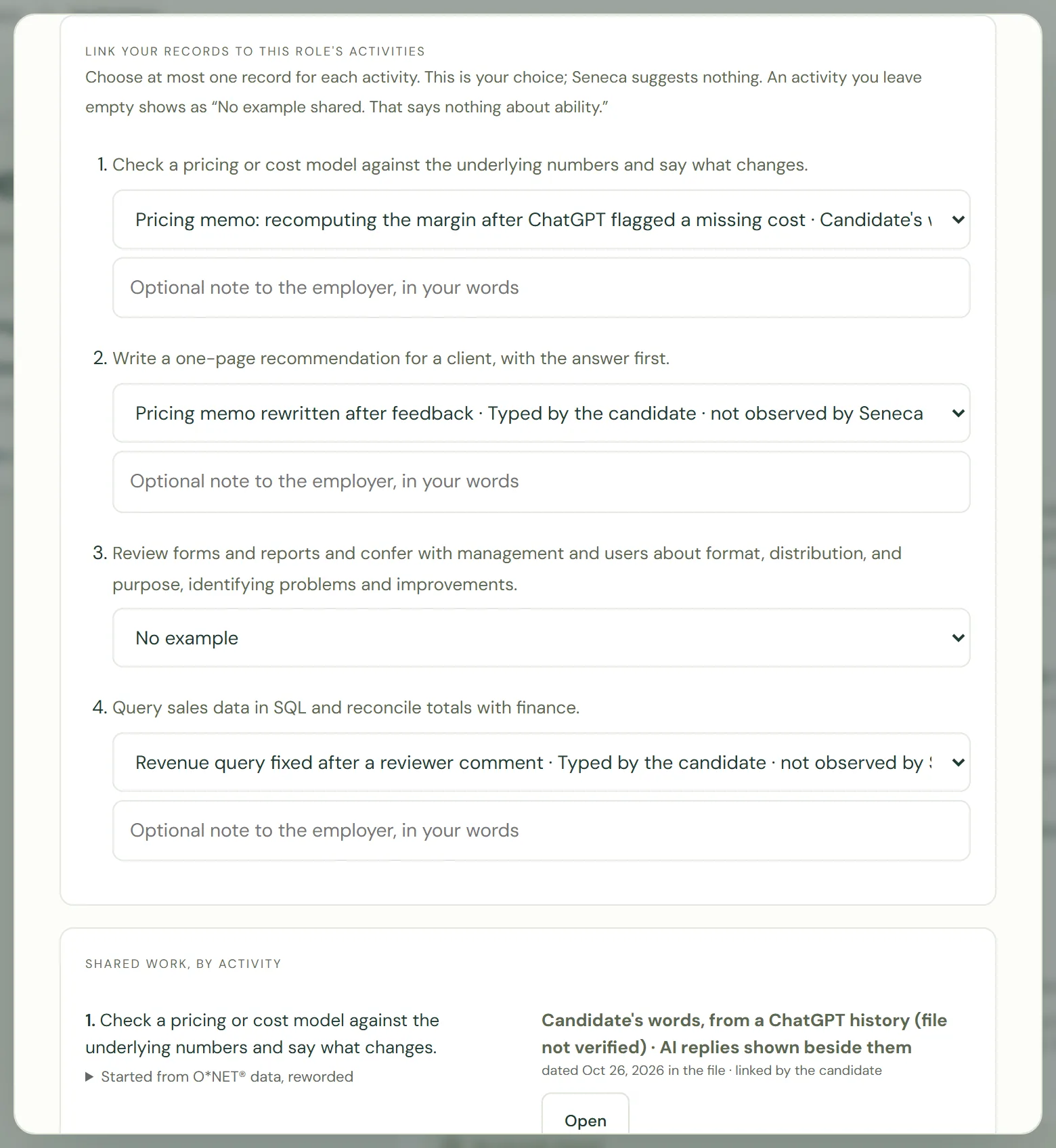
Put a record under an activity
For each activity the employer confirmed, she picks at most one of her records, or leaves it empty. Seneca suggests nothing here.
-
12
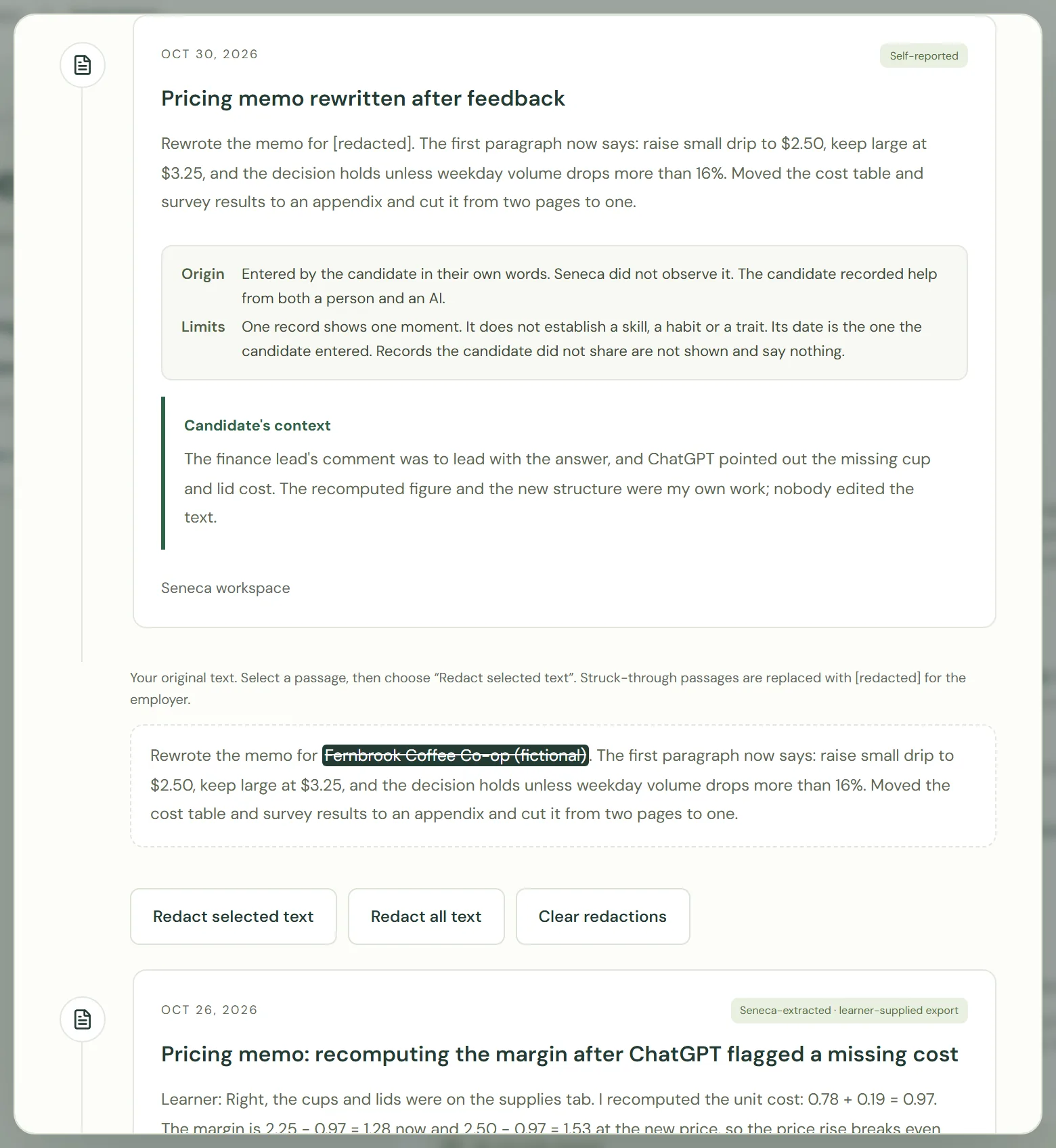
Redact a passage
She hides the client's name in her memo. The employer will see [redacted] in its place.
-
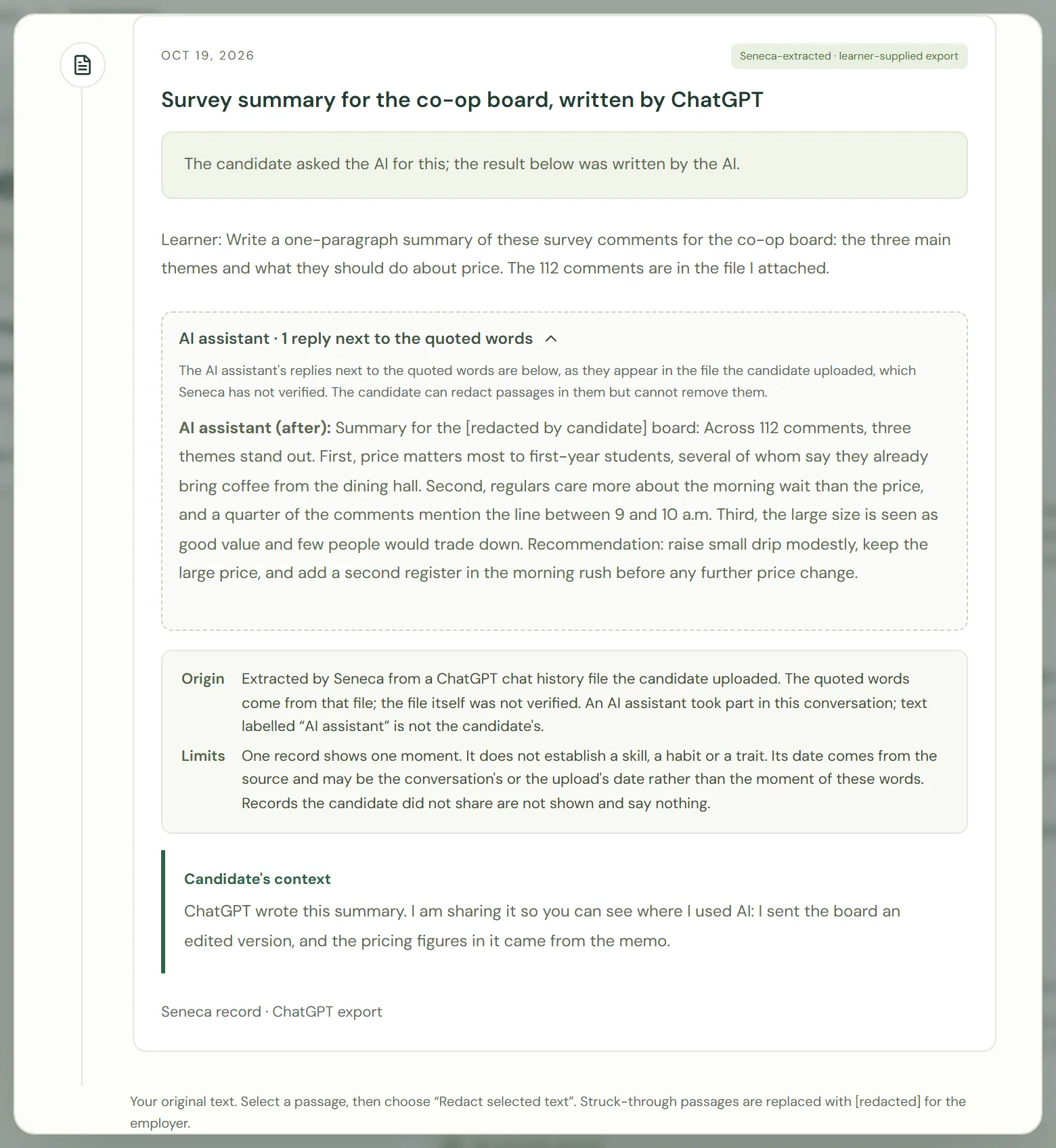
13
Redact inside an AI reply
Where ChatGPT wrote the text, she can hide a name in the AI's reply, but she cannot remove the reply or its label.
-
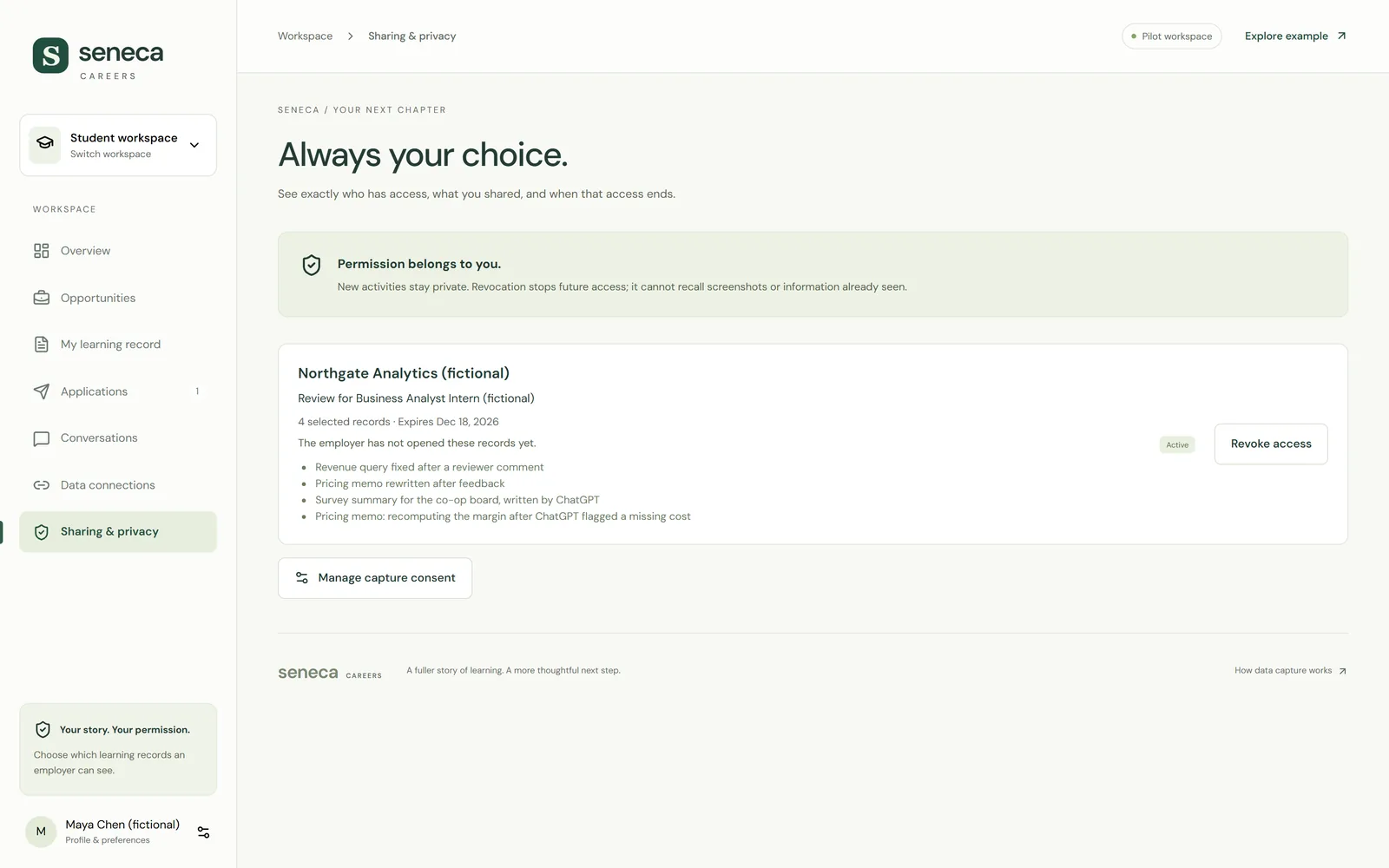
14
Shared
Four records, with this employer only, until the date shown. She can withdraw at any time.
What the candidate sees, and withdrawing
The candidate sees access, never opinions, and can end it.
-
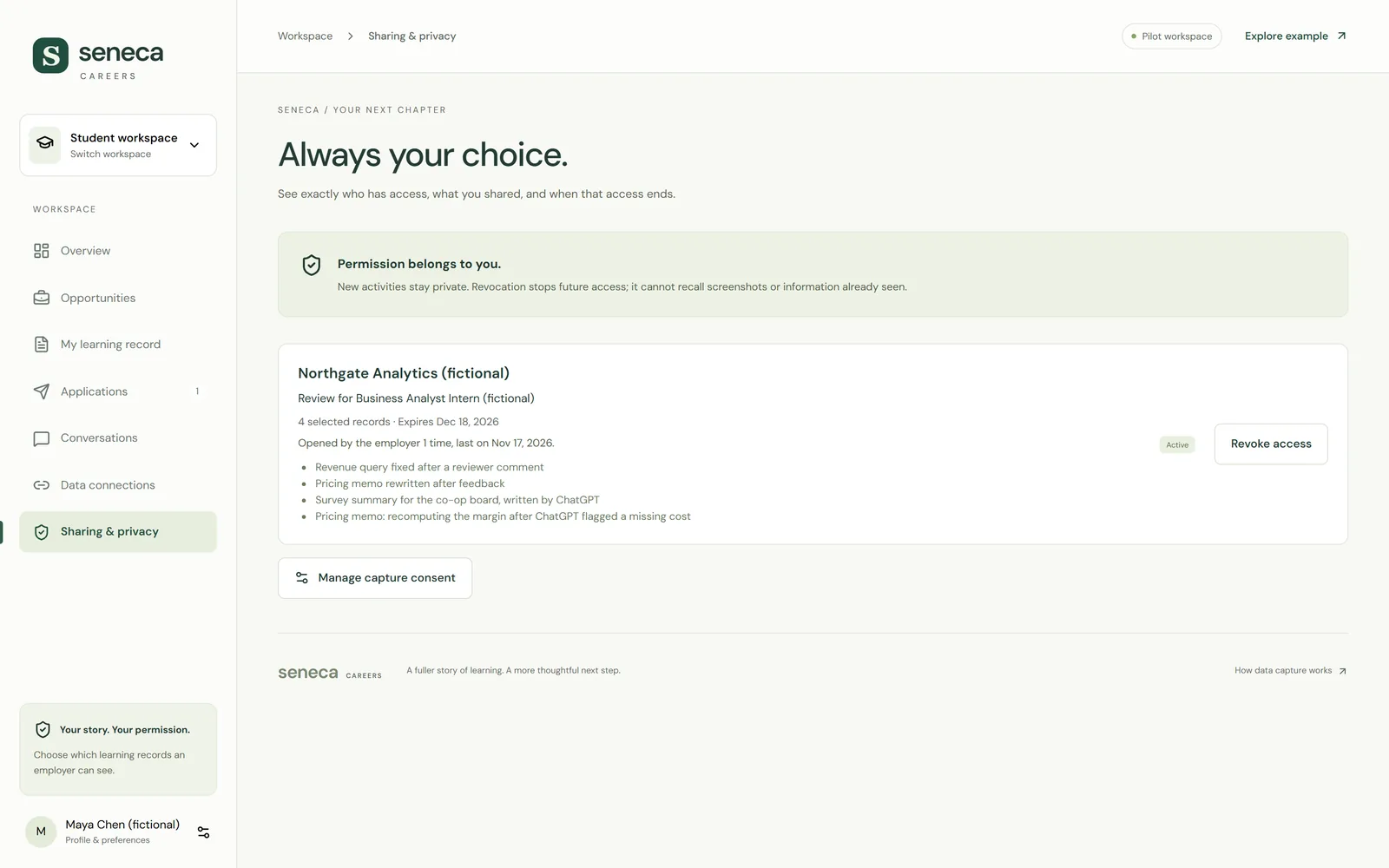
15
Opened, and when
Maya sees that the employer opened her records, and when.
-
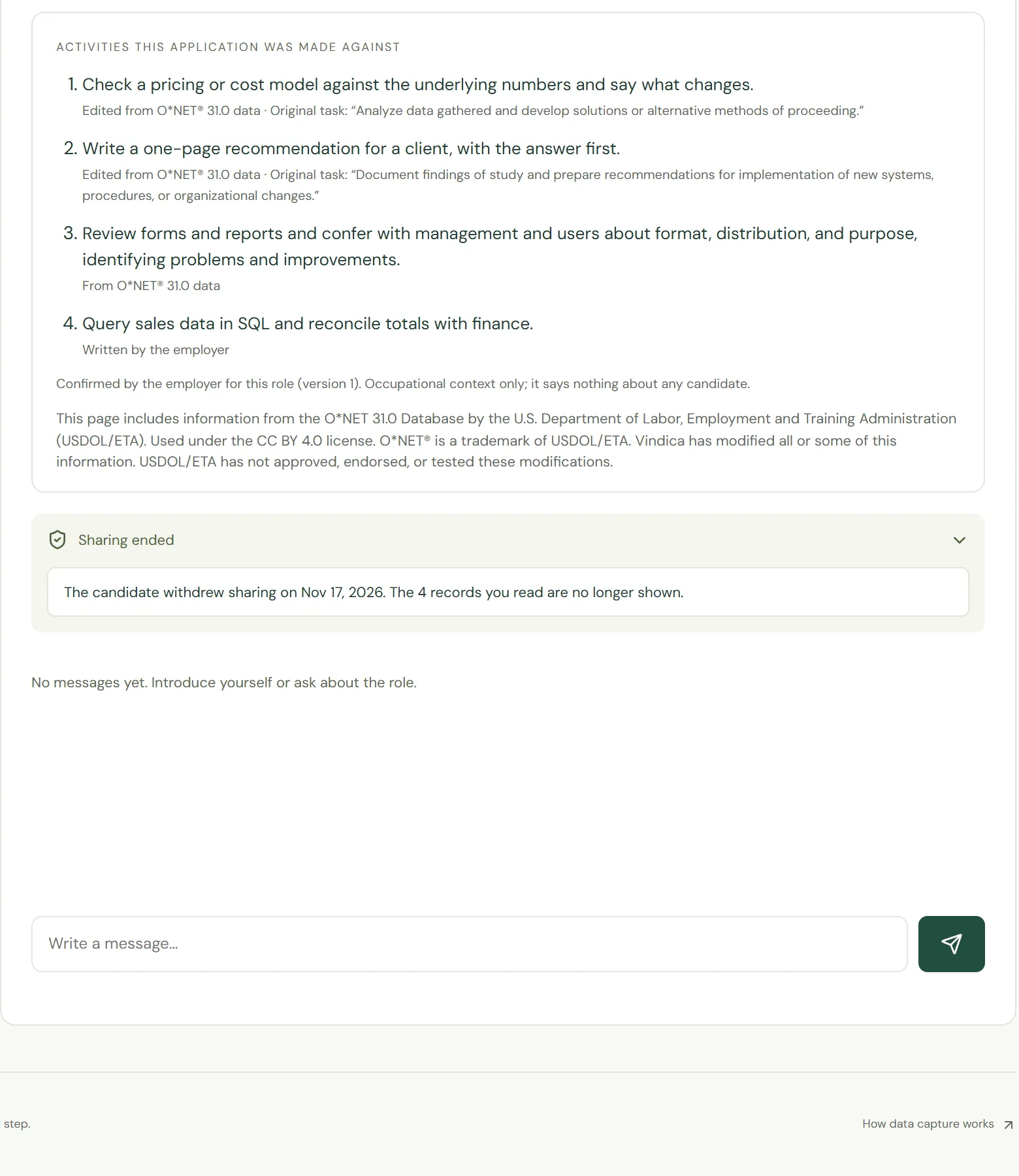
16
After she withdraws
The records disappear from the employer's view, and a plain notice says the candidate withdrew sharing.
On a phone
The same views work on a small screen, for the candidate and the employer.
Want to see it live?
Kevin can run this same demo with you on a short call, and set up an invite when you're ready to try it on a real role. Candidates start at the candidate page.